
Release Brief - Azure DevOps Extension
Check the readiness of a planned deployment and prepare communication in minutes
Release Brief is an Azure DevOps extension that helps you quickly assess deployment readiness. Load the data of a planned deployment, review the scope, discrepancies, and risks, and then generate ready-to-use release notes and email content for stakeholders.
- Deployment scope
- Risk identification
- Test verification
- Deployment summary
- Email generation
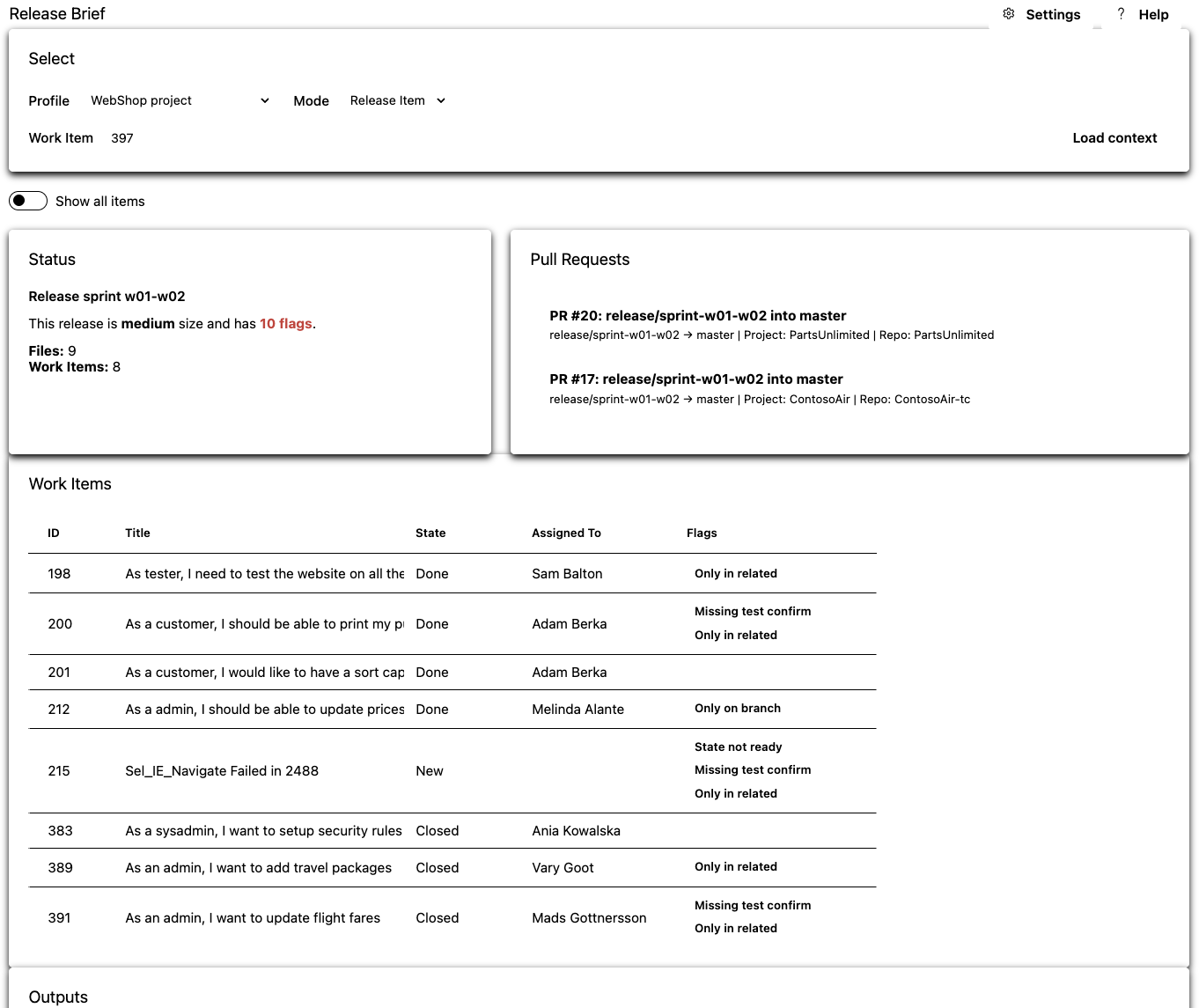
For teams that want to deploy in a clear and predictable way
Release Brief was designed for teams working in Azure DevOps that want to prepare deployments faster, control readiness more effectively, and communicate changes to stakeholders more efficiently.
Release Manager
Summarizes deployment scope, status, and communication faster.
DevOps Engineer
Sees discrepancies between the deployment plan and the state of branches and PRs.
Product Owner
Gets a clear view of what is actually going into production.
Engineering Manager
Gains a more structured and repeatable deployment process.
Automated scope discovery and summary reduce repetitive work and lower the risk of errors
In software teams, preparing a deployment often requires manually checking Work Items, Pull Requests, test comments, and branch status. This takes time, increases the risk of mistakes, and makes stakeholder communication harder.
Release Brief organizes this stage in one place: it gathers deployment context, detects issues, classifies the size of changes, and generates ready-to-send documents.
Key features
Release Brief helps prepare planned deployments in Azure DevOps without manually gathering information from multiple places. The extension is available in the Boards tab and works within an Azure DevOps organization, also across projects in the same organization.
Loading deployment context
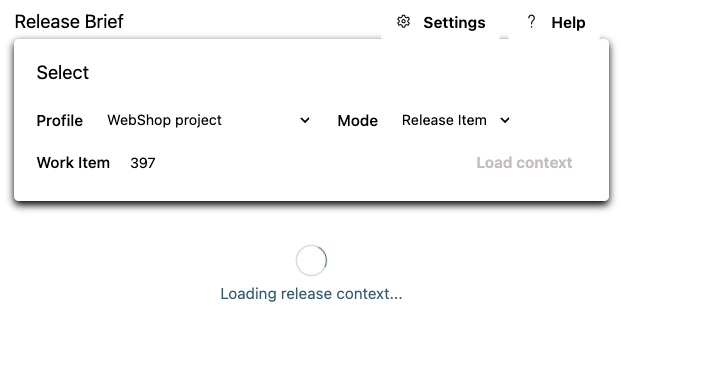
Load planned deployment data by Release Work Item ID or branch name. Release Brief automatically fetches related Work Items, Pull Requests, and other elements needed to assess deployment scope.
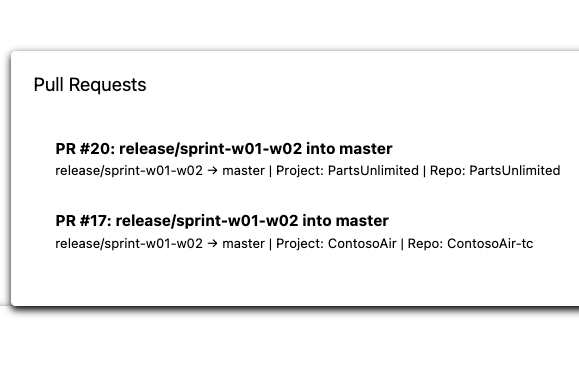
Works across projects in the same organization
The extension works within an Azure DevOps organization and allows deployment context to be analyzed even when related elements are located in more than one project.
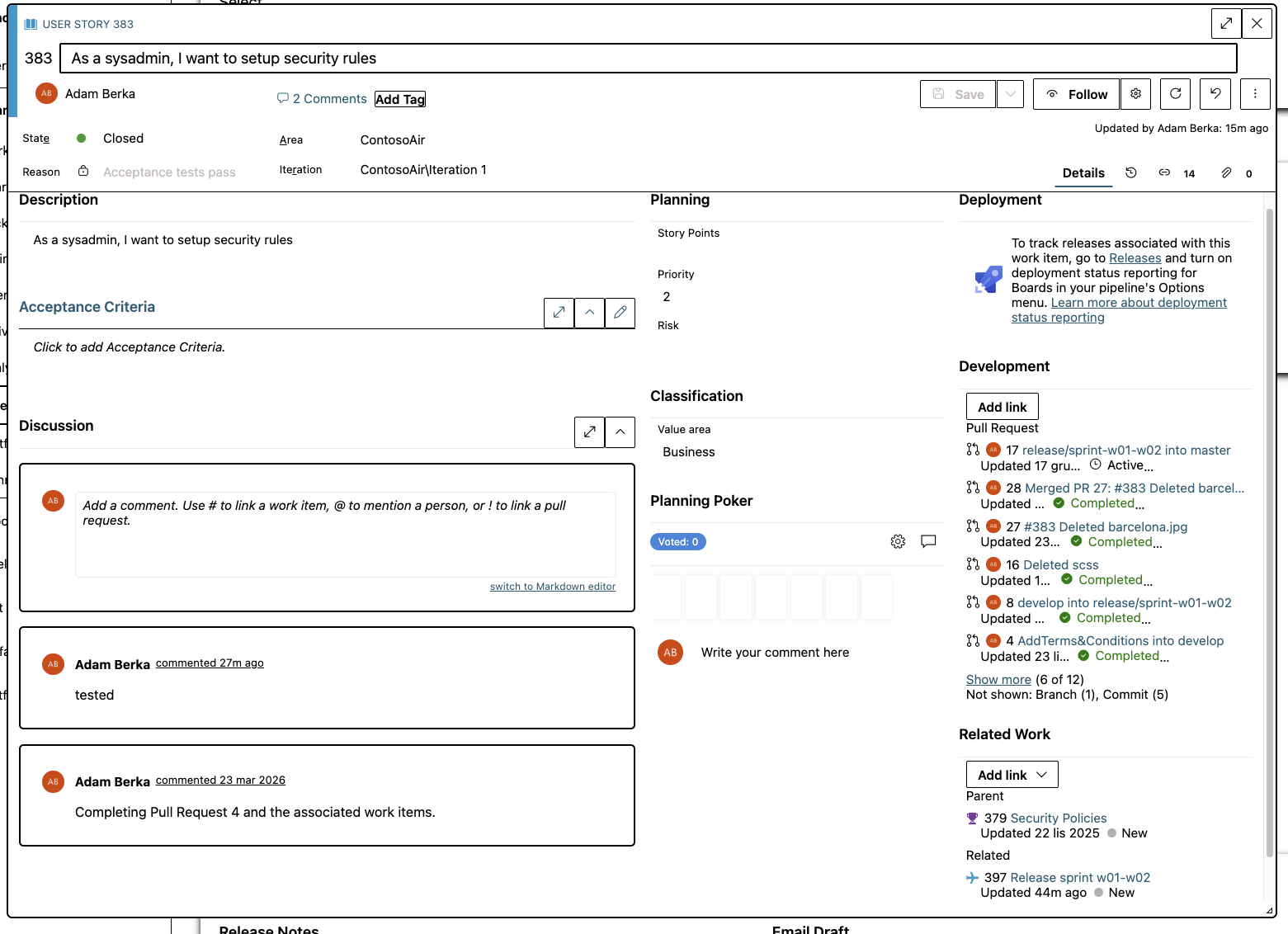
Work Item preview inside the extension
The most important Work Item information is visible directly inside the extension window, making it easier to review deployment scope without constantly switching between views.
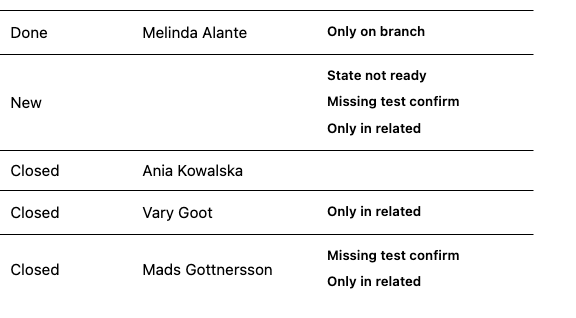
Readiness flags
Release Brief detects issues before deployment, including:
- still open Work Items,
- missing test confirmation,
- Pull Requests without related Work Items,
- differences between planned and deployed scope.
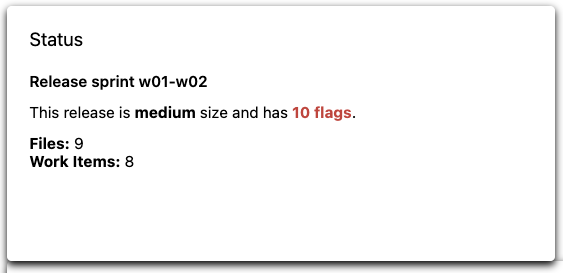
Deployment size and status assessment
The extension shows the number of Work Items, Pull Requests, changed files, and flags, then classifies deployment size and determines its status according to thresholds tailored to your process.
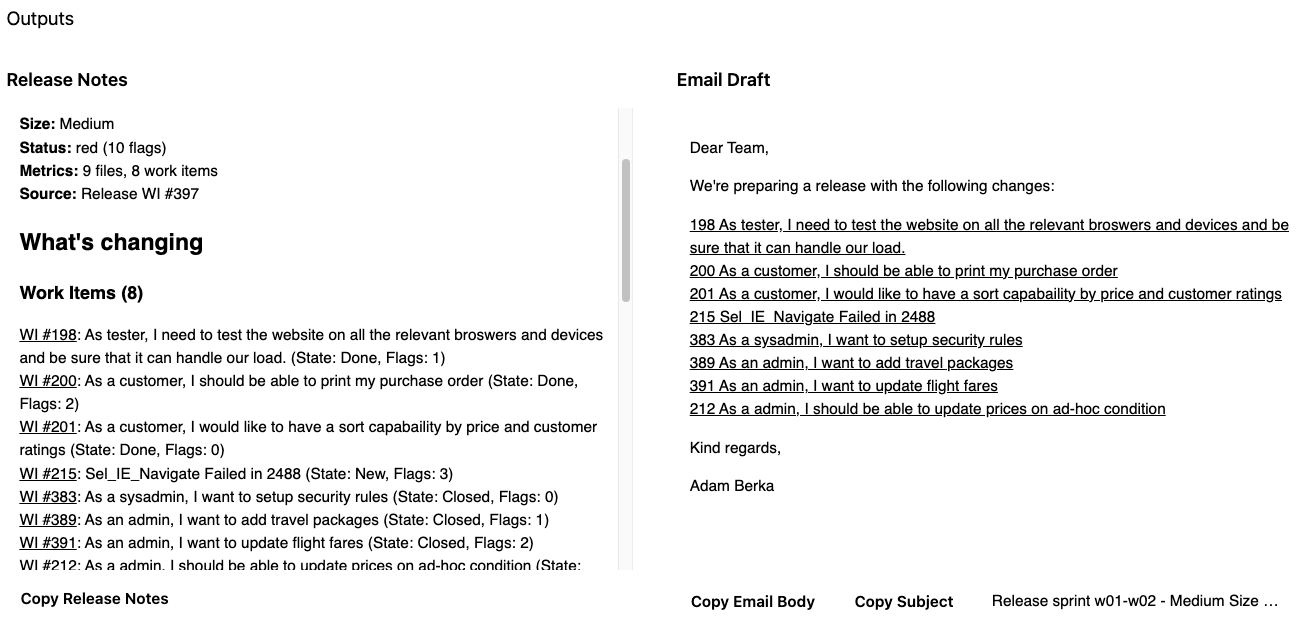
Release notes and stakeholder communication
With one click, you can copy ready-to-use release notes as well as the email subject and body summarizing the deployment.
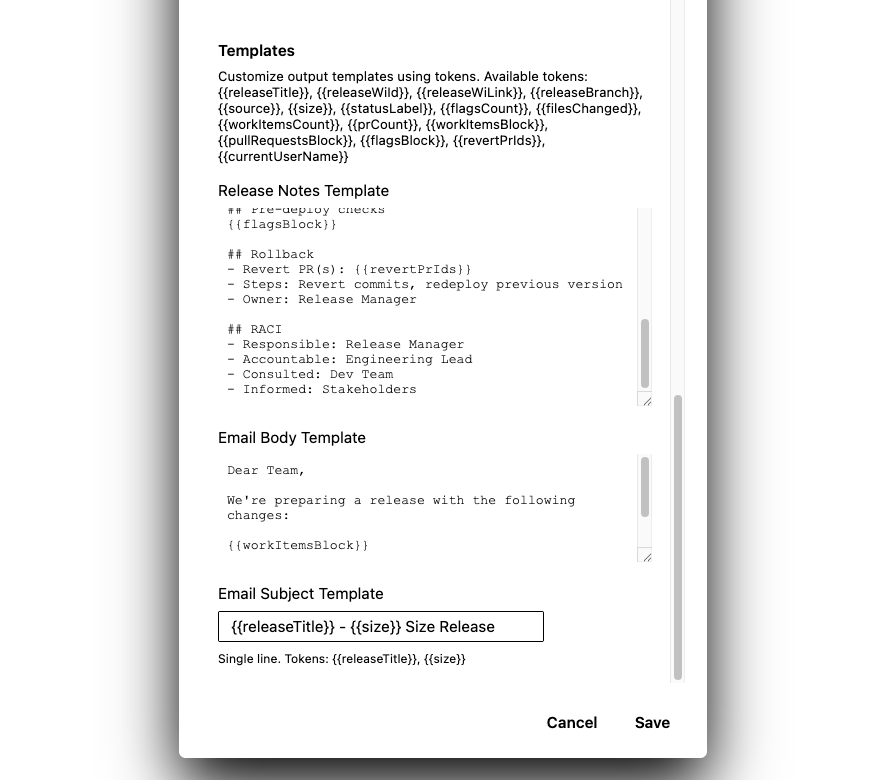
Templates and editing
Release note content, email subject, and communication text can be adapted to your process with simple editable templates.
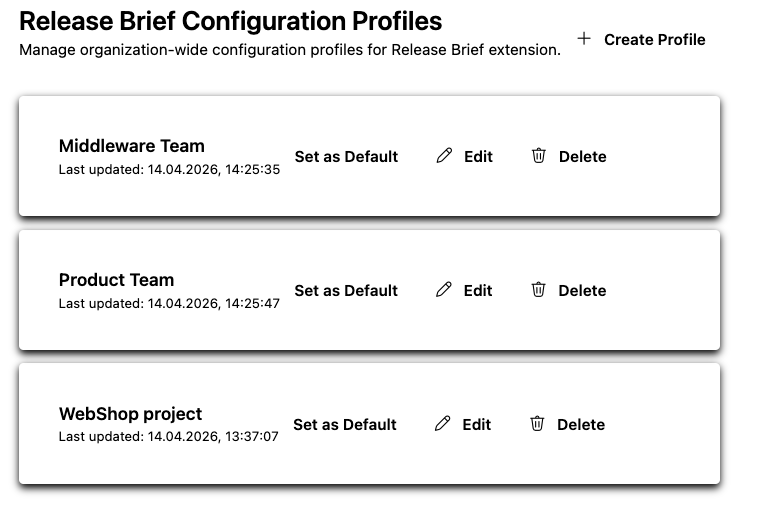
Organization-wide configuration profiles
Organization configuration profiles are available in Release Brief Admin. They can be edited by users with active Release Brief access: by default, users with an active named seat, or, in the case of an individual organization-wide license, users covered by organization-wide access. Profiles are operational team configuration, not license or payment settings.
Data stays in Azure DevOps and the browser
Release Brief runs as an Azure DevOps extension in the browser. It does not have its own backend for release data analysis. Release context is fetched directly from Azure DevOps based on granted permissions, and organizational configuration is stored in Azure DevOps Extension Data Storage. User-local settings may be stored in the browser.
Release Brief does not send Work Item content, Pull Requests, builds, or company data to external analytics systems or AI models. Analysis is performed solely based on rules defined in the extension.
Required permissions
Release Brief uses the permissions required to read release data in Azure DevOps:
vso.work Read Work Items and comments
vso.code Read Pull Requests and branches
vso.build Read build and release information
vso.test Read test results
vso.settings Save organizational configuration
vso.graph Read user, group, and membership information to verify permissions.
These permissions are used only to enable the extension features described on this page. Release Brief does not send this data outside Azure DevOps and has no backend of its own.
Ways of working together
Option 1
Release Brief license
For organizations that want to start using the tool in their own process right away.
Option 2
Process analysis + recommendations + 1 year of license
For organizations that want to organize their deployment preparation process, tailor the tool to their process, and receive ready-to-use recommendations.
See how Release Brief works in your organization
Install Release Brief from the Marketplace and use the 14-day trial. When the trial expires, contact us to purchase and activate a license.
Frequently asked questions
Is Release Brief publicly available in the Marketplace?
Yes. Release Brief is publicly available in the Marketplace. You can install the extension and use the 14-day trial. After the trial expires, contact us to purchase a license for your Azure DevOps organization.
Is Azure DevOps data sent to external servers?
No. Release Brief runs in the browser, uses Azure DevOps API and does not rely on a separate backend for release data analysis.
Does Release Brief collect telemetry?
No. Release Brief does not use external telemetry or analytics tools.
Can flags and templates be adapted to our own process?
Yes. Release Brief lets you configure flags, classification thresholds, release note templates, email subjects, and message content.
How does purchasing work?
Install Release Brief directly from the Marketplace. The purchase is handled through contact. Once the scope is agreed and payment is received, you receive a signed license for your Azure DevOps organization and selected named users.